- Week 1- Getting Started (Even if you've used Photoshop Elements in the past you will learn new stuff in this lesson!)
- Week 2-Lightening and Darkening a Photo: Which method is the best?
- Week 3-Color: How to Fix It, Change it, and Remove it.
- Week 4-Straightening, Cropping, and Getting Artistic.
Wednesday, August 17, 2011
Online Classes
I just had to pass along the info. As you know I have been wild about Photoshop Elements 9 for a while now. Many of you are like I was in the beginning. You are SCARED TO DEATH to open the program. Well put your fears aside and FEAR NO MORE The Digital Scrapbook Teacher is now gonna offer online classes! I am so excited. Her first class that she is gonna offer is a photo editing class. This is so worth taking. She will teach you many of the editing procedures that you have always wanted to know. So if you want to take this 1st class in her series of online classes just click on the link on the left of my blog. When you get to her page click on the link at the top that says blog and you can sign up there. Can't wait to see what ya'll create!
Friday, July 8, 2011
Photoshop Elements
I have been busy learning so much about Photoshop Elements. I am having a blast! I have been going through Patty Debowski's book Photoshop Elements Basics and Beyond. I am reading the section on organizing. Wow I so needed this! She explains how to use tags to find just the right photo. As someone who takes a ton of photos this is gonna come in handy.
You can see in this screen shot of the organizer in PSE9 that I have already tagged these 2 photos. Patty explains that it is easier to add more tags than not enough. I have tagged these with sunny, Texas, June, 2011, and cell phone. I also tagged the 1st photo with my nieces Megan and Kaitlyn and the 2nd photo with my son Dylan. So now that these are tagged lets say I wanted to find a photo taken in 2011 of my nieces in a sunny location. All I have to do is click on these 3 tags and walla you would bring up this photo. Sounds simple doesn't it?
It will take me a while to get all my photos tagged, but in the end I believe that it will help me so much. I have always used the organizer, but had not used the tags. She also tells you how to create multiple catalogs so that you can have 1 for photos and 1 for digital scrapbook supplies. I will next tackle tagging the scrapbook supplies, but as with the photos this will take me some time. To learn more of these great tips go to Patty's site located on the left side of my page and check it out. I never thought that I would learn how to do this stuff!
Have a wonderful day!!
You can see in this screen shot of the organizer in PSE9 that I have already tagged these 2 photos. Patty explains that it is easier to add more tags than not enough. I have tagged these with sunny, Texas, June, 2011, and cell phone. I also tagged the 1st photo with my nieces Megan and Kaitlyn and the 2nd photo with my son Dylan. So now that these are tagged lets say I wanted to find a photo taken in 2011 of my nieces in a sunny location. All I have to do is click on these 3 tags and walla you would bring up this photo. Sounds simple doesn't it?
It will take me a while to get all my photos tagged, but in the end I believe that it will help me so much. I have always used the organizer, but had not used the tags. She also tells you how to create multiple catalogs so that you can have 1 for photos and 1 for digital scrapbook supplies. I will next tackle tagging the scrapbook supplies, but as with the photos this will take me some time. To learn more of these great tips go to Patty's site located on the left side of my page and check it out. I never thought that I would learn how to do this stuff!
Have a wonderful day!!
Saturday, July 2, 2011
The Digital Scrapbook Teacher
All of the classes that I took at GASC were digital scrapping classes. I did this cause I already know how to paper scrap for the most part and wanted to learn something new. The first class that I took was from Story Tellers. In this class we learned some of the basic techniques for digital scrapping. Here is what we made.
She taught us how to add a shadow, how to duplicate an element, and how to add a photo to a template. All this sounds so simple, but it is not.
The next 2 classes were taught by The Digital Scrapbook Teacher, Patty Debowski. I was in such awe of how well she taught us. As Patty will tell you she is not a techie. She now teaches, because when she tried to learn PSE there were not alot of great tutorials out there. She taught herself how to do many of the wonderful techniques with trial and error. She tries to tell all of her students how to do it the easy way to save us a headache. I love how she can teach how to do something without getting so technical.
I ended up taking the class #6 Stamping, Distressing, and Making your own with PSE. This class was so much fun! We learned how to use brushes which are like stamps to us that are familiar with paper scrapping. She also told us to push every button and play with everything that is how you learn. If you make a mistake oh well there is always an edit button. She explained that some brushes are created to act a certain way. Look at the photo below.
Here we used the grass and leaf brush. As you can see as you click and drag the image changes colors and blends wonderful. How cool! She also taught us how to make our own digital papers.
The other class that I took was #7 Creating Montages with PSE. In this class we were taught how to take a picture and and add a person to the photo in different locations. Here take a look.
This is the same boy on the slide just in different locations. She took 3 pictures and taught us the Eraser Method and the Masking Method to create this photo. Pretty cool huh?
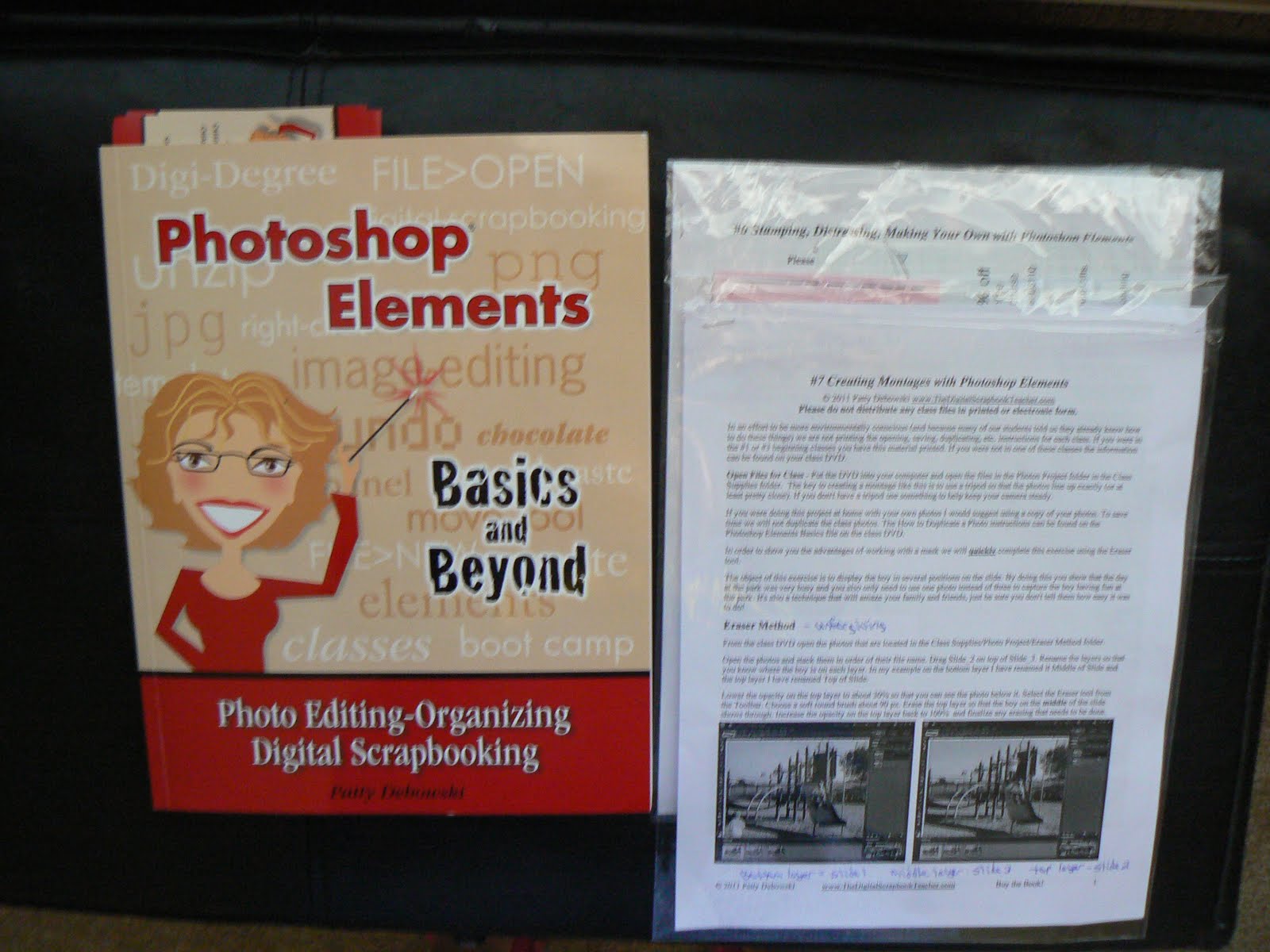
I also bought her new book Photoshop Elements Basics and Beyond. I am going chapter by chapter to learn new techniques on how to organize my photos and my digital scrapbooking elements. Patty has created a disk that has 3200 digital items already tagged and separated into categories. This saves hours of time!
Here is another picture of all the template disks that I also bought from her. I am so excited to learn how to do some of these amazing techniques with PSE.
I am also trying to butter up my dear hubby to let me attend one of Patty's Boot Camps. This is where for 2 days for 8 hours each day Patty teaches you all the ins and outs of the program. I so want to go. She is having a Boot Camp in Irving, Texas this year on October 22 and 23. I wouldn't have to pay for a hotel, because my parents live not too far from there. Hope that it works out for me.
If you want to find out more information about The Digital Scrapbook Teacher just click on my link on the left side of the page and it will take you to her site to check out all the wonderful products that she has to teach you with.
I want to wish everyone a glorious July 4th weekend and hope that you are spending it with the people you love!
She taught us how to add a shadow, how to duplicate an element, and how to add a photo to a template. All this sounds so simple, but it is not.
The next 2 classes were taught by The Digital Scrapbook Teacher, Patty Debowski. I was in such awe of how well she taught us. As Patty will tell you she is not a techie. She now teaches, because when she tried to learn PSE there were not alot of great tutorials out there. She taught herself how to do many of the wonderful techniques with trial and error. She tries to tell all of her students how to do it the easy way to save us a headache. I love how she can teach how to do something without getting so technical.
I ended up taking the class #6 Stamping, Distressing, and Making your own with PSE. This class was so much fun! We learned how to use brushes which are like stamps to us that are familiar with paper scrapping. She also told us to push every button and play with everything that is how you learn. If you make a mistake oh well there is always an edit button. She explained that some brushes are created to act a certain way. Look at the photo below.
Here we used the grass and leaf brush. As you can see as you click and drag the image changes colors and blends wonderful. How cool! She also taught us how to make our own digital papers.
The other class that I took was #7 Creating Montages with PSE. In this class we were taught how to take a picture and and add a person to the photo in different locations. Here take a look.
This is the same boy on the slide just in different locations. She took 3 pictures and taught us the Eraser Method and the Masking Method to create this photo. Pretty cool huh?
I also bought her new book Photoshop Elements Basics and Beyond. I am going chapter by chapter to learn new techniques on how to organize my photos and my digital scrapbooking elements. Patty has created a disk that has 3200 digital items already tagged and separated into categories. This saves hours of time!
Here is another picture of all the template disks that I also bought from her. I am so excited to learn how to do some of these amazing techniques with PSE.
I am also trying to butter up my dear hubby to let me attend one of Patty's Boot Camps. This is where for 2 days for 8 hours each day Patty teaches you all the ins and outs of the program. I so want to go. She is having a Boot Camp in Irving, Texas this year on October 22 and 23. I wouldn't have to pay for a hotel, because my parents live not too far from there. Hope that it works out for me.
If you want to find out more information about The Digital Scrapbook Teacher just click on my link on the left side of the page and it will take you to her site to check out all the wonderful products that she has to teach you with.
I want to wish everyone a glorious July 4th weekend and hope that you are spending it with the people you love!
Friday, July 1, 2011
Mouse, Paper, Scissors Hybrid Layout
Just realized that I never posted my hybrid layout that we created in Jessica Sprague and Heidi Swapp's class. This is one amazing class. It teaches you so much stuff that my brain hurt after taking it. I have reviewed the class many times so that I can get better at the techniques that Jessica teaches you in PSE. Heidi then explains how to put it all together. What a terrific team!
Here is one of my Twins Dylan riding his new scooter. As you can tell my printer is not so good on printing pictures. I am on the look out for a new one that does better.
This picture showes the titile and the 3 gems that I added.
This one shows some of the frames that we used around the pictures. I love this technique!
Here is the little element that we created. Jessica showed us how to use a brush to stamp the leaves and how to change the opacity so that you can see the lighter color. She also showed us how to add the words.
Here we used another brush stamp to stamp the circle for the journaling. Then Heidi showed us how to use tissue paper to create the white pleated look. As you can tell I need lots of practice on this part.
This is another view of the frames that we used on the photos.
Here again is the final product. All of the patterned paper is digital that Jessica showed us how to print out to use on this layout. Isn't that cool? Think of how many layouts you can create with these digital papers and you can use them over and over and never run out.
Hope that everyone has a wonderful Friday!
Thursday, June 30, 2011
More from GASC
I know that it has been almost a month since my last post. With the kids off of school it is well lets say chaos at our house. I barely have time to breath. Four active boys is most days hard to keep up with. We have been so hot here in Abilene that most of the day we have to stay indoors. With temps reaching up to 110 being outside is difficult. I do have to say thank heavens for Netflix! We have been watching a ton of movies and reading books everyday. I have learned how to play cars and my boys are teaching mom how to make boy noises. LOL!
Now on to more of the wonderful GASC. While I was there I was able to meet the wonderful Stephanie Barnard from The Stamps of Life.
I have been a club member with Stephanie for about a year and a half now. I love her stamps. They are clear stamps so you can see what you are stamping. She has many stamps that I use all the time. One of my favorite stamps is her Stamped4You. This is a set that you use on the back of your projects to sign your name. I also adore her YouAre2Kind. This is a set of wonderful words that you can combine and create your own phrase. Stephanie has so many sets that I use all the time. She has Christmas sets, Halloween sets, Easter sets, Butterfly sets, sets for boys and girls, and many sets with sentiments for the inside of cards. Please check out her site here.
I of course had to purchase some more of her stamps which my dear hubby just can't understand. He says,"Don't you have enough stamps to play with? How many do you need?" My Reply to him was, "A girl can never have too many stamps to play with. Look at how many tools you have to fix the car with, or how many fishing lures do you need to catch 1 fish?"( I do have to say that I love all the fishing stuff he has, because I admit I love to fish!) Here are the new sets that I bought.
Another wonderful thing about Stephanie's stamps is that she creates new sets to work with other sets. The Cone2Dish set that is shown here works also with her Scream4IceCream set. How cool is that? Can't wait to see what she creates for next month!
Now on to more of the wonderful GASC. While I was there I was able to meet the wonderful Stephanie Barnard from The Stamps of Life.
I have been a club member with Stephanie for about a year and a half now. I love her stamps. They are clear stamps so you can see what you are stamping. She has many stamps that I use all the time. One of my favorite stamps is her Stamped4You. This is a set that you use on the back of your projects to sign your name. I also adore her YouAre2Kind. This is a set of wonderful words that you can combine and create your own phrase. Stephanie has so many sets that I use all the time. She has Christmas sets, Halloween sets, Easter sets, Butterfly sets, sets for boys and girls, and many sets with sentiments for the inside of cards. Please check out her site here.
I of course had to purchase some more of her stamps which my dear hubby just can't understand. He says,"Don't you have enough stamps to play with? How many do you need?" My Reply to him was, "A girl can never have too many stamps to play with. Look at how many tools you have to fix the car with, or how many fishing lures do you need to catch 1 fish?"( I do have to say that I love all the fishing stuff he has, because I admit I love to fish!) Here are the new sets that I bought.
Another wonderful thing about Stephanie's stamps is that she creates new sets to work with other sets. The Cone2Dish set that is shown here works also with her Scream4IceCream set. How cool is that? Can't wait to see what she creates for next month!
Sunday, June 5, 2011
Great American Scrapbook Convention
WOW is all I can say! I have never been to anything like this in my life. The Great American Scrapbook Convention came to Arlington, TX June 2-4. I was like a little kid in a toy store. I wanted everything I saw. There we so many wonderful people that I met and I do have to say that scrappers are some of the nicest people. I had to attend this by myself which at first I didn't like that. When I got there and realized that there were others just like me who did go alone it made me feel better.
Right from the beginning when I walked in I was overwhelmed with awe. Booth after booth full of bright shinny things and colorful things and a multitude of amazing paper. Of course I had to go up and down every row to see all the new great things that I knew I had to have. My poor husband was gonna be in for a shock when he saw the money that was spent on the 2 days that I attended. There were lots of scrapbooking clubs there that offered supplies once a month sent to your house. How tempting that was, but I did not do any of those so that I would use what I already have.
I found a 31 Gifts booth and bought a bag from them just to carry all of my new goodies. One of the coolest new things that I came across was by Kiwi Lane Designs. They have items to help you design your layouts. The templates are semi-transparent so that you can use them to design your page and then you can use them to cut your items when you are ready. I know that I am not explaining this very well so please visit their site here to watch a full demo of the product. What an amazing product it is. I can't wait to give this a try!
Of Course I came home with some new goodies to play with so here are a few pictures of my stash.
Right from the beginning when I walked in I was overwhelmed with awe. Booth after booth full of bright shinny things and colorful things and a multitude of amazing paper. Of course I had to go up and down every row to see all the new great things that I knew I had to have. My poor husband was gonna be in for a shock when he saw the money that was spent on the 2 days that I attended. There were lots of scrapbooking clubs there that offered supplies once a month sent to your house. How tempting that was, but I did not do any of those so that I would use what I already have.
I found a 31 Gifts booth and bought a bag from them just to carry all of my new goodies. One of the coolest new things that I came across was by Kiwi Lane Designs. They have items to help you design your layouts. The templates are semi-transparent so that you can use them to design your page and then you can use them to cut your items when you are ready. I know that I am not explaining this very well so please visit their site here to watch a full demo of the product. What an amazing product it is. I can't wait to give this a try!
Of Course I came home with some new goodies to play with so here are a few pictures of my stash.
This is from Story Tellers Club. These are 2 page layouts and embellishments. Can't wait to add photos to these.
This is some paper stacks and some acrylic sheets with the glue for them.
Here are some puffy stickers for pages.
And of course more paper, cause who can have too much paper. (I do!)
In this picture are my Tim Holtz folders, some pens, brads and eyelets, buttons, and glue stick.
Well I could write all day about my experience at the show, but that would bore you so I will stop for now. In the days to come I will post about the wonderful person that I met and also about the digital scrapbooking classes that I took at the show.
I hope that everyone has one amazing Sunday! I am off to swim with the family and try to stay cool here in this Texas heat.
Til Later!
Whitney
Friday, May 6, 2011
YUMMY!
I have not done any crafting lately so I figured that I would share a favorite recipe of my families. We just love Chicken Spaghetti. I got this recipe from my mom. It does take some time to make, because you have to go in stages but oh so worth it.
Boil the chicken and cut it up into small pieces.
Cook the spaghetti noodles.
This is what the sauce looks like after you have added all the ingredients.
One of the best things about this is that you can make it ahead of time and it freezes great. This is an amazing dish to make to give someone and it feeds so many.
Just out of the oven and I so love the crackers on top.
And now for the best part eating it!
Well I hope that you have enjoyed this post and I hope to create something this weekend. I am still recovering from my bronchitis so I have to take things slow. I am amazed at how long it is taking me to get over this crud. I thought that I was doing good so I decided to walk over a mile to get my son from school the other day. What a mistake that was. I was pulling the wagon with the twins in and out of it along the walk and by the time I got to the school my chest was burning so bad. The worse part was that I had to then walk home. I wish that this would go away. My chest still feels like I have an elephant sitting on it. My doctor said that it could take up to 2 months for it to go away and up to 4 or 5 months to get my energy back. Wow that is a long time when I have kids to run after and a house to take car of. Oh well I can do only what my body allows me to do.
Have a wonderful day!
Subscribe to:
Posts (Atom)